Your first Velocity app in 60 seconds
Install the CLI, scaffold a project, and hit localhost. The shortest path from zero to a running Velocity application.
This is the shortest tutorial we'll publish. Four commands, about a minute, and you'll be looking at a working Velocity app in your browser.
Prerequisites
You need:
- Go 1.26+ -
go versionshould printgo1.26or newer. - Homebrew - for installing the
velocityCLI on macOS or Linux. (Other platforms can build from source; see the installer repo.) - Bun (recommended) or Node + npm - for the JS side. The installer picks up whichever it finds.
No Docker, no external services to start. The vel CLI handles the dev server, migrations, and code generation once the project exists.
1. Install the installer
brew install --cask velocitykode/tap/velocityVerify it landed:
velocity --versionYou should see the installed version string. The velocity CLI is project-bootstrap-only; once a project exists, you'll use vel, installed alongside it, for everything else.
2. Scaffold a new project
velocity new acmeacme is the placeholder name we use throughout these tutorials - pick whatever fits your project.
The installer asks three quick questions:
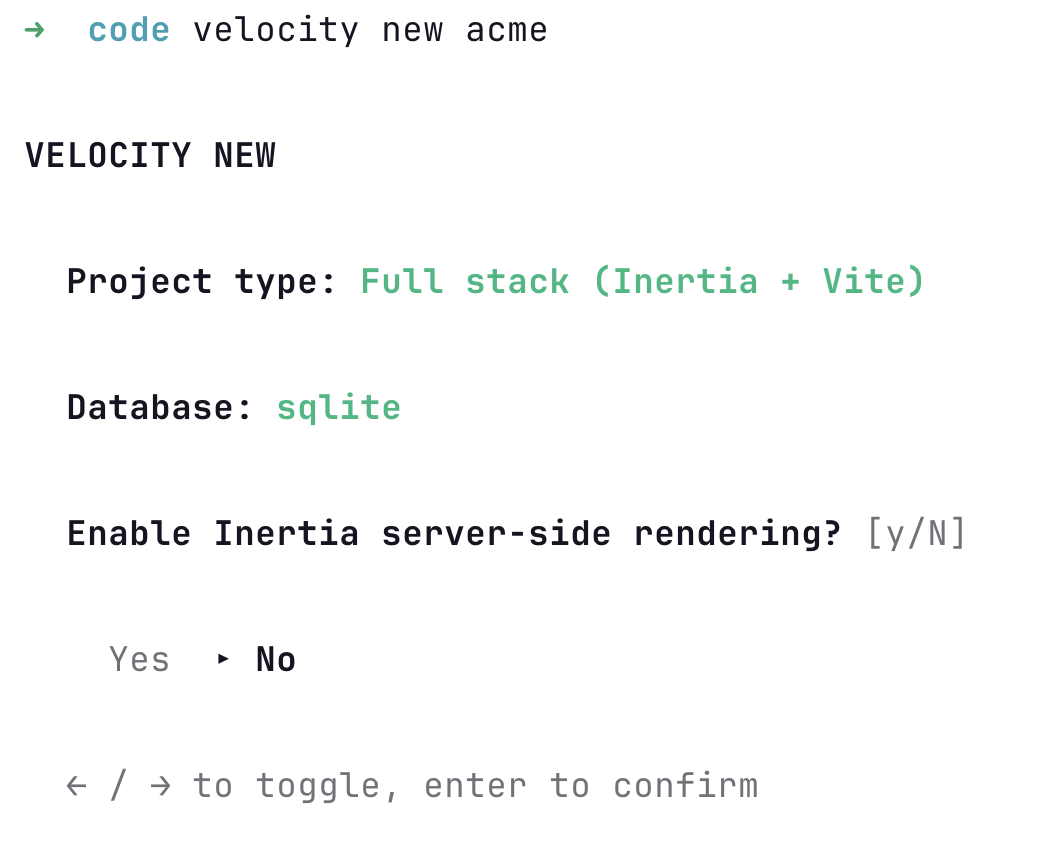
- Project type -
Full stack (Inertia + Vite)for the React + Tailwind setup this tutorial uses. - Database -
sqlitefor the easiest local default. Postgres and MySQL are available and swap in via env var later. - Enable Inertia server-side rendering? -
Nfor development. Flip toYlater if you need it.
Use ← / → to toggle, enter to confirm.
Once you've answered, the installer clones the template, configures the Go module, initializes git, installs dependencies, builds the project-local ./vel binary, runs the initial migrations, and prints the next two commands you need:
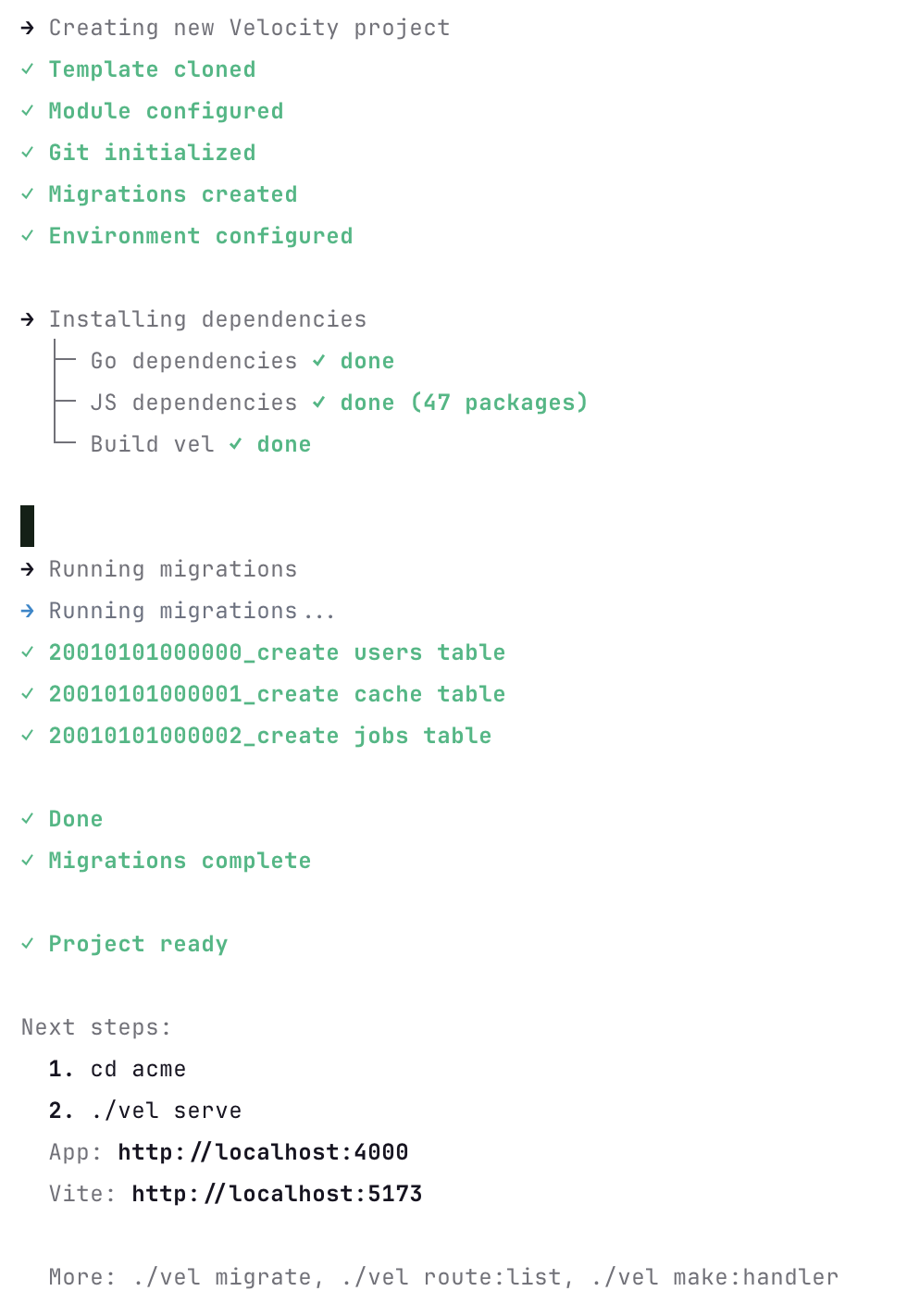
The whole thing takes well under a minute on a warm machine.
3. Start the dev server
cd acme
vel serve
This boots the Go backend with hot-module-reload, runs Vite for the frontend in parallel, and prints something like:
[velocity] listening on http://localhost:4000
[vite]     dev server ready in 230ms
4. Open the app
Navigate to http://localhost:4000.
You'll land on the login page. Register an account, log in, and you're on the dashboard. Every primitive Velocity ships - auth, ORM, queues, cache, mail, storage, broadcasting, scheduling - is wired and ready to use.
Find your way around
Here is what velocity new acme produced. The directories you'll touch most are at the top.
acme/
├── main.go               # Bootstrap chain: Providers, Middleware, Routes, Run
├── go.mod
├── .env                  # Local config (DB driver, secrets, etc.)
│
├── routes/
│   └── web.go            # Web routes (the first file you edit)
│
├── internal/
│   ├── app/              # App-level wiring (kernel, middleware stacks, events)
│   ├── handlers/         # HTTP handlers (auth, dashboard, home, health)
│   ├── middleware/       # Custom middleware
│   ├── models/           # ORM models (the starter ships User)
│   └── commands/         # Custom vel commands
│
├── config/               # Typed config: app.go, auth.go, crypto.go, view.go
│
├── database/
│   ├── migrations/       # Go migration files
│   ├── factories/        # Model factories for tests and seeds
│   └── database.sqlite   # The local DB after first migration
│
├── resources/
│   ├── js/               # React + TypeScript (app.tsx, pages/, components/, layouts/)
│   ├── css/              # Tailwind entrypoint
│   └── views/            # Server-rendered HTML shell for Inertia
│
├── public/               # Static assets served at the URL root
├── storage/              # File storage default (uploads, logs)
└── vite.config.ts        # Frontend build config
The shortest possible walk-through:
main.go. The bootstrap chain. Anything you wire (providers, middleware, routes, commands, events) flows through it.routes/web.go. Where you'll spend most of the first hour. Add a route, point it at a handler ininternal/handlers/.internal/handlers/. HTTP handlers. The starter has auth (login, register, logout), dashboard, home, and health.internal/models/. Your ORM models. Starts withUser. New models go here, scaffolded byvel gen model.database/migrations/. Schema. Go files, not SQL strings or YAML. New migrations come fromvel gen migrationorvel gen model -m.resources/js/. The React frontend.pages/maps 1:1 to the Inertia responses your handlers return:c.Inertia("Posts/Index", props)rendersresources/js/pages/Posts/Index.tsx.config/. Typed Go config files. Reads from.envat startup, exposes typed values to the rest of the app.
That is the loop. routes/web.go declares the URL. internal/handlers/ runs the logic. internal/models/ talks to the database. resources/js/pages/ renders the response.
What's next
- Add a model.
vel gen model Post -mscaffolds a model and migration in one shot. - Add a handler.
vel gen handler PostsHandlergives you a handler wired to the router. - Read the docs. vel.build/docs covers the full API surface.
That's it. Four commands, one running app. Velocity gets out of your way after that.